New in 1.1: daily practice and streaks

Learn languages from what you already love.

Your YouTube videos, PDFs and articles become flashcards, quizzes and audio at your level. With an A1 to C2 path and daily practice in short rounds of 5.

  • Free to start
  • 7-day Pro trial
  • iPhone and iPad
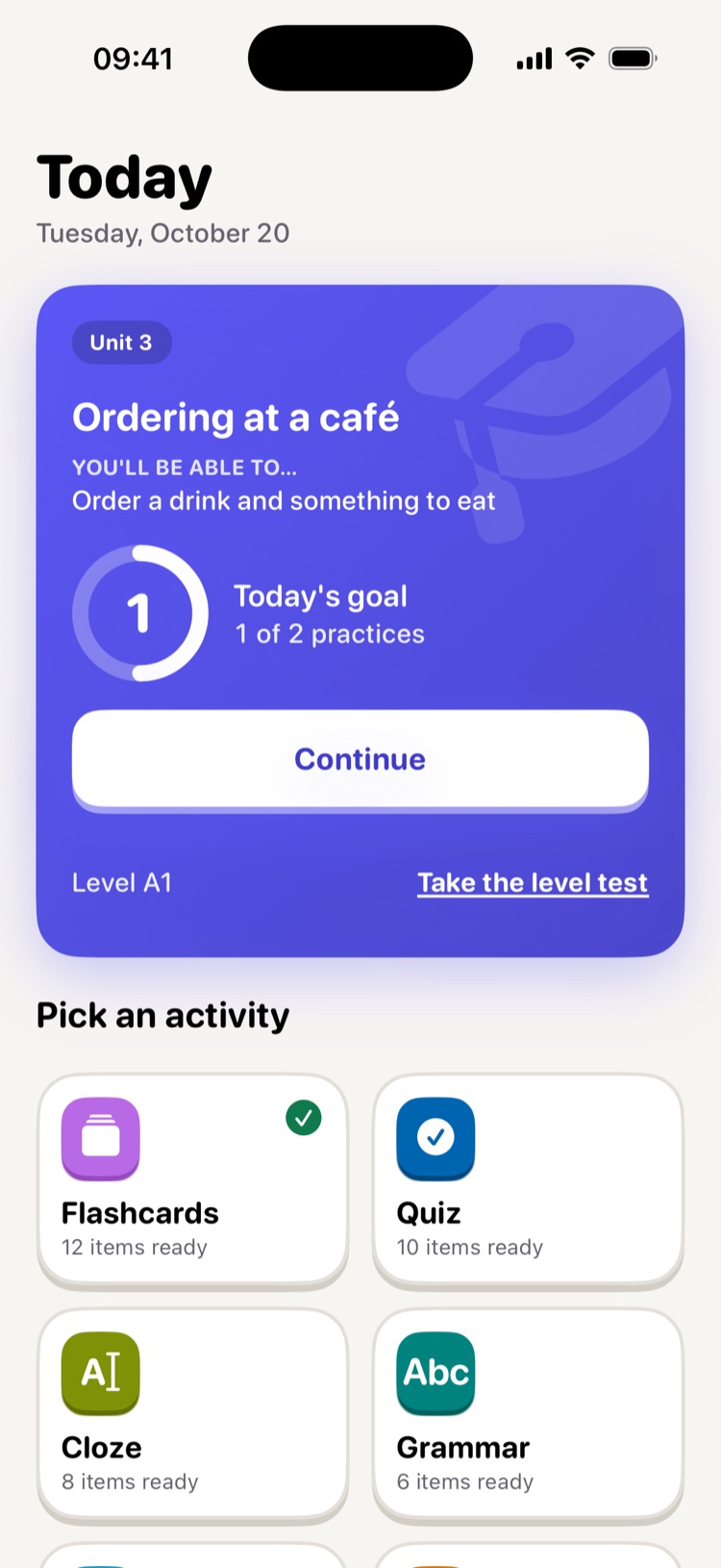
StudioAI Today screen with the daily goal and activities ready to practice

Works with

  • YouTube
  • PDF
  • Web articles
  • Audio
  • Pasted text

How it works

Three steps and you're practicing

Nothing to set up. StudioAI adapts to your level from day one.

  1. 1

    Pick a language and take the placement test

    Start from scratch or take a short test. StudioAI places you at your level on the European framework, from A1 to C2.

  2. 2

    Practice a little every day

    Today has your practice ready in one tap: short rounds of 5 exercises, with explanations in your own language.

  3. 3

    Add what you love

    A YouTube video, a PDF, an article or an audio file. StudioAI turns it into exercises matched to your level.

Features

Three ways to learn, one level

The guided path, your materials and conversations share your level, so everything you do fits together.

Guided path

A course from A1 to C2

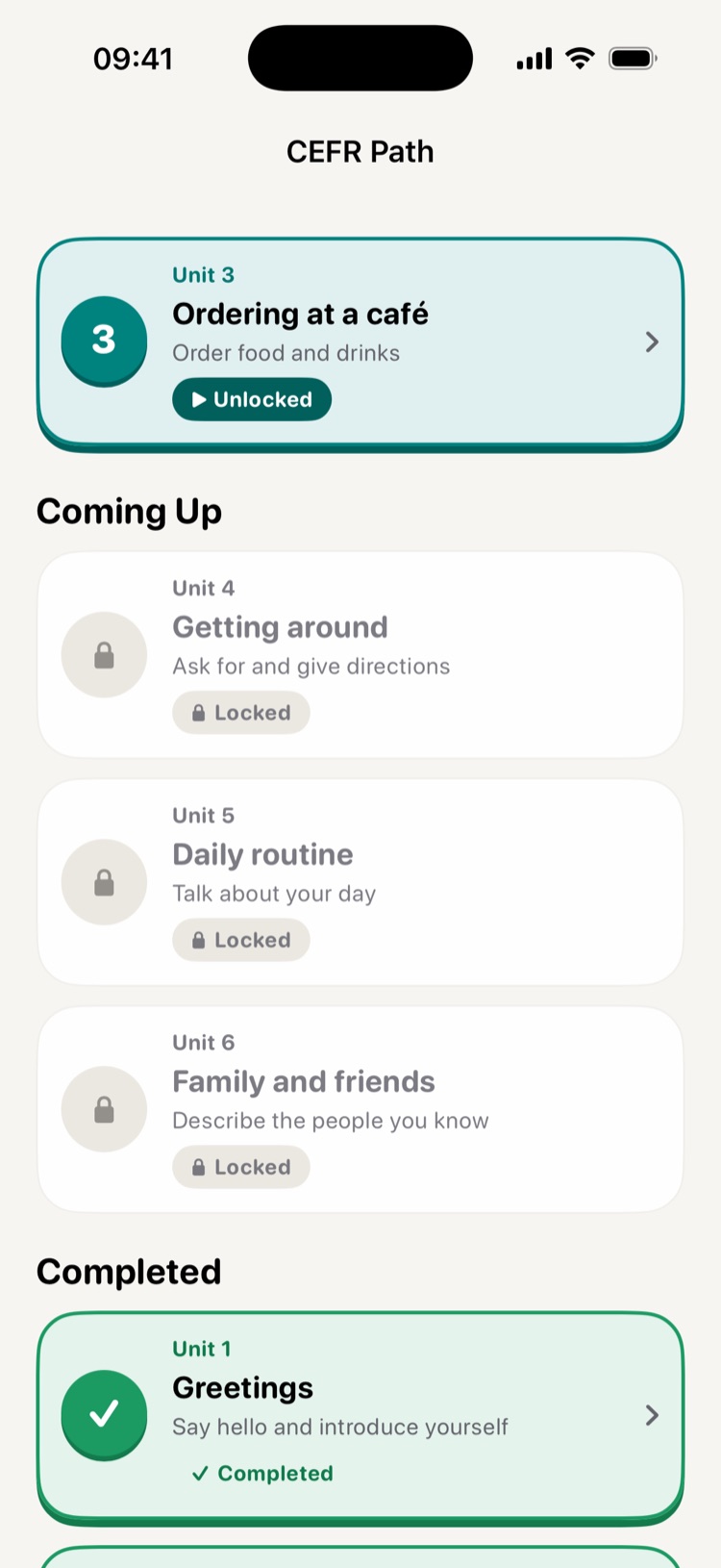
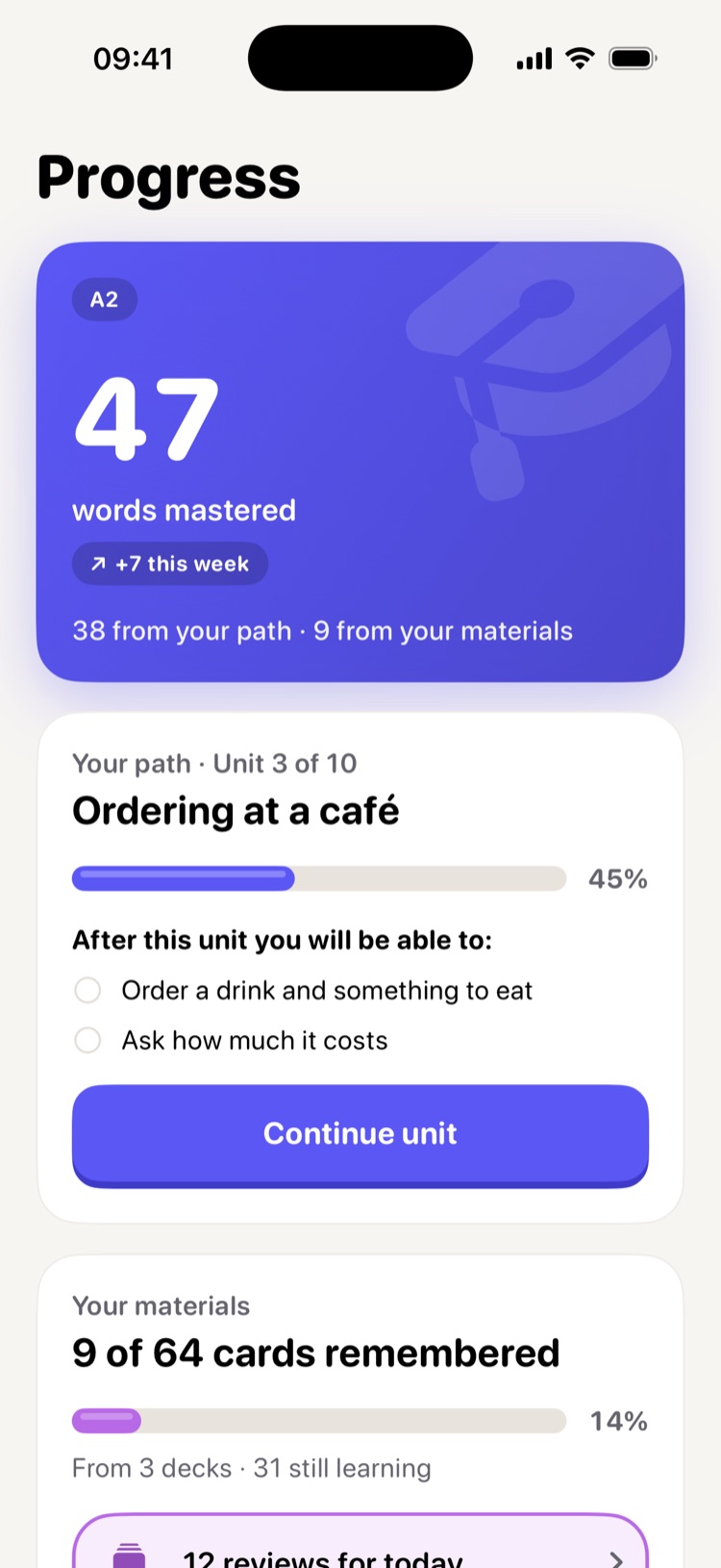
Units with grammar, reading, listening, translation and fill-in-the-blank. Each one tells you what you'll be able to do when you finish it.

  • A placement test so you start in the right place
  • Clear goals in every unit
  • Scheduled reviews so nothing slips away
StudioAI path of units by level

Studio

Your material, turned into a lesson

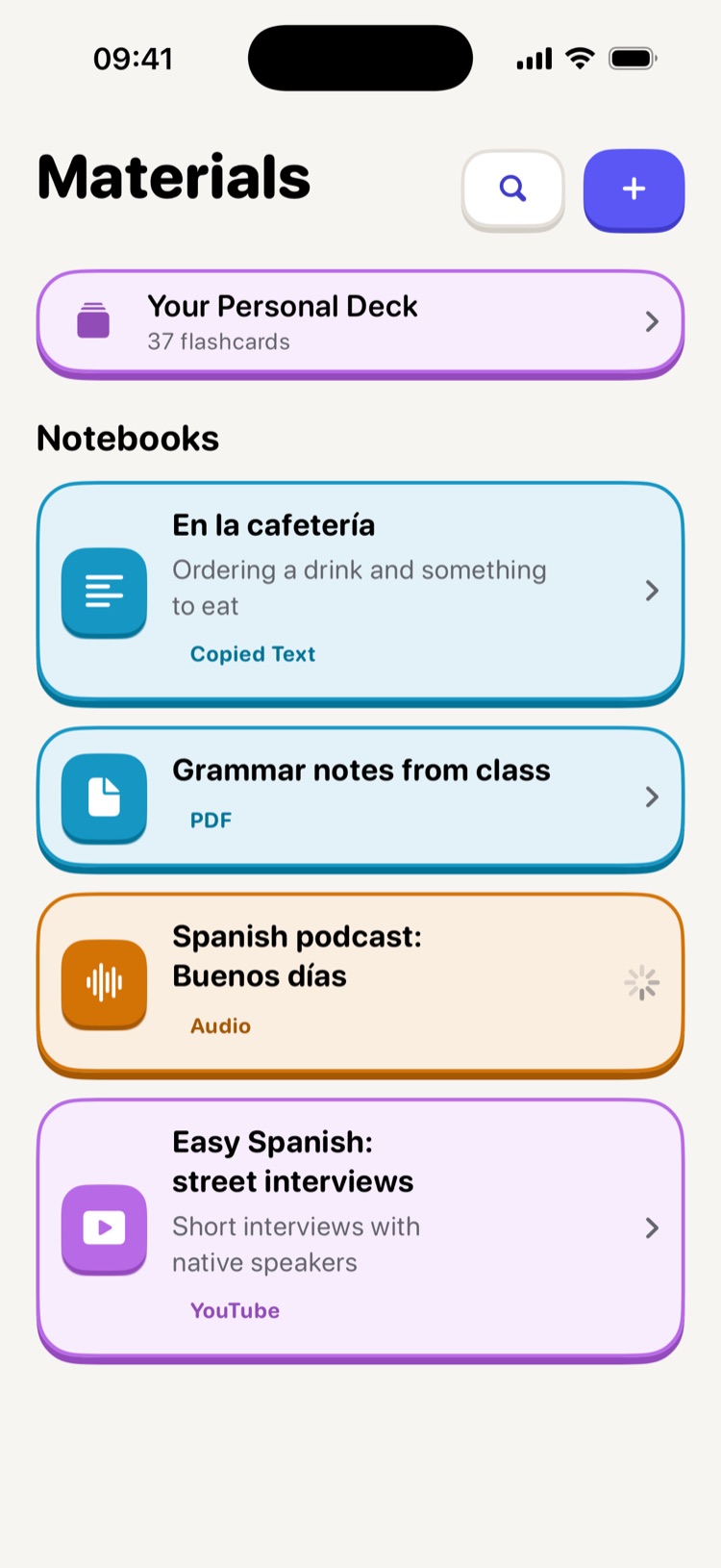
Upload a PDF, paste a YouTube link or an article and choose how to practice it:

  • Flashcards
  • Quizzes
  • Audio summary
  • Grammar
  • Cloze
  • Dictation
  • Error hunting
  • Transformations
  • Word sorting
  • Micro writing
Materials screen with notebooks made from a PDF, an audio file and a YouTube video

Conversations

Speak without fear of mistakes

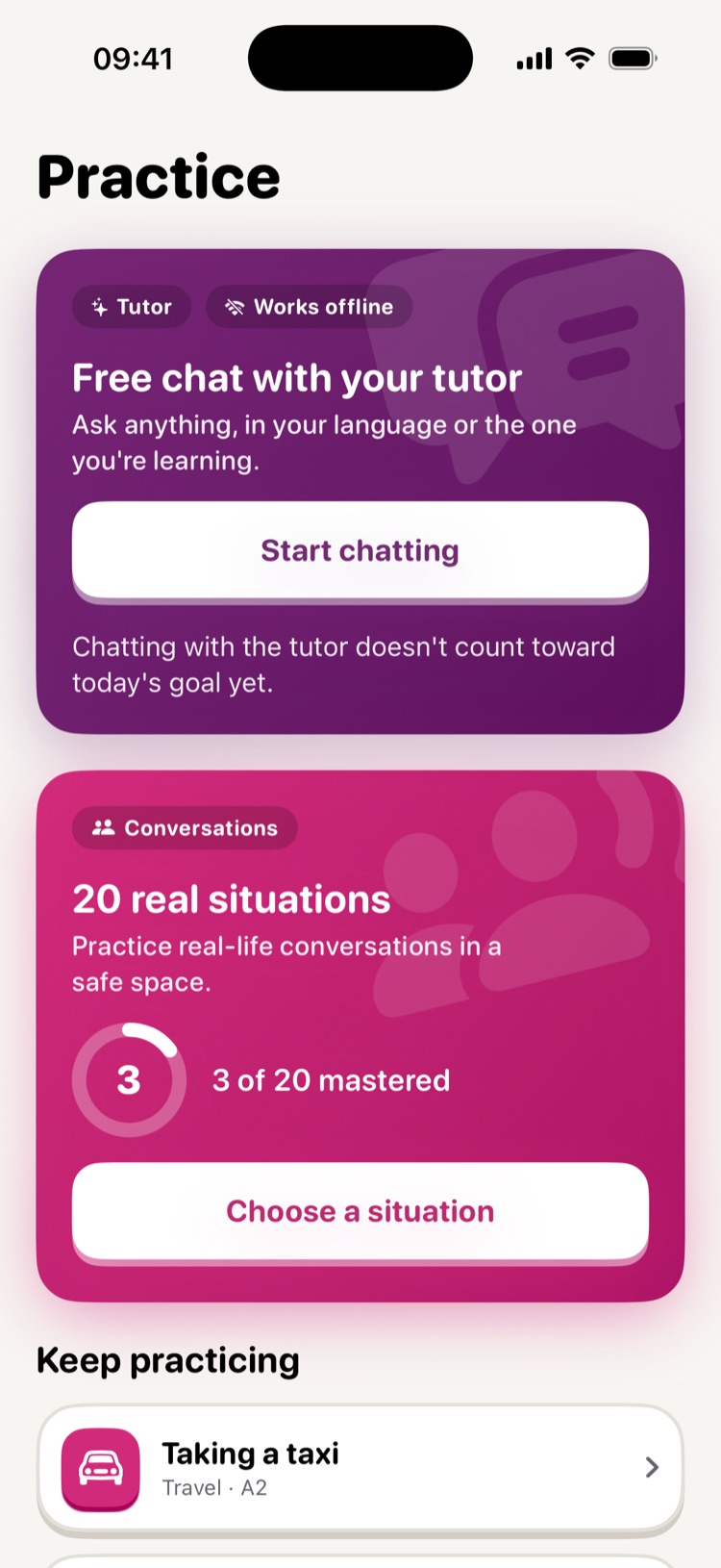
Practice real situations, like ordering at a café or taking a taxi, by voice or by chat. You decide when to wrap up the scene.

  • Real situations matched to your level
  • By voice or by chat, your call
  • A private tutor that works offline (on devices with 6 GB of RAM or more)
Practice screen with the tutor and Conversations

Consistency

A habit you can feel

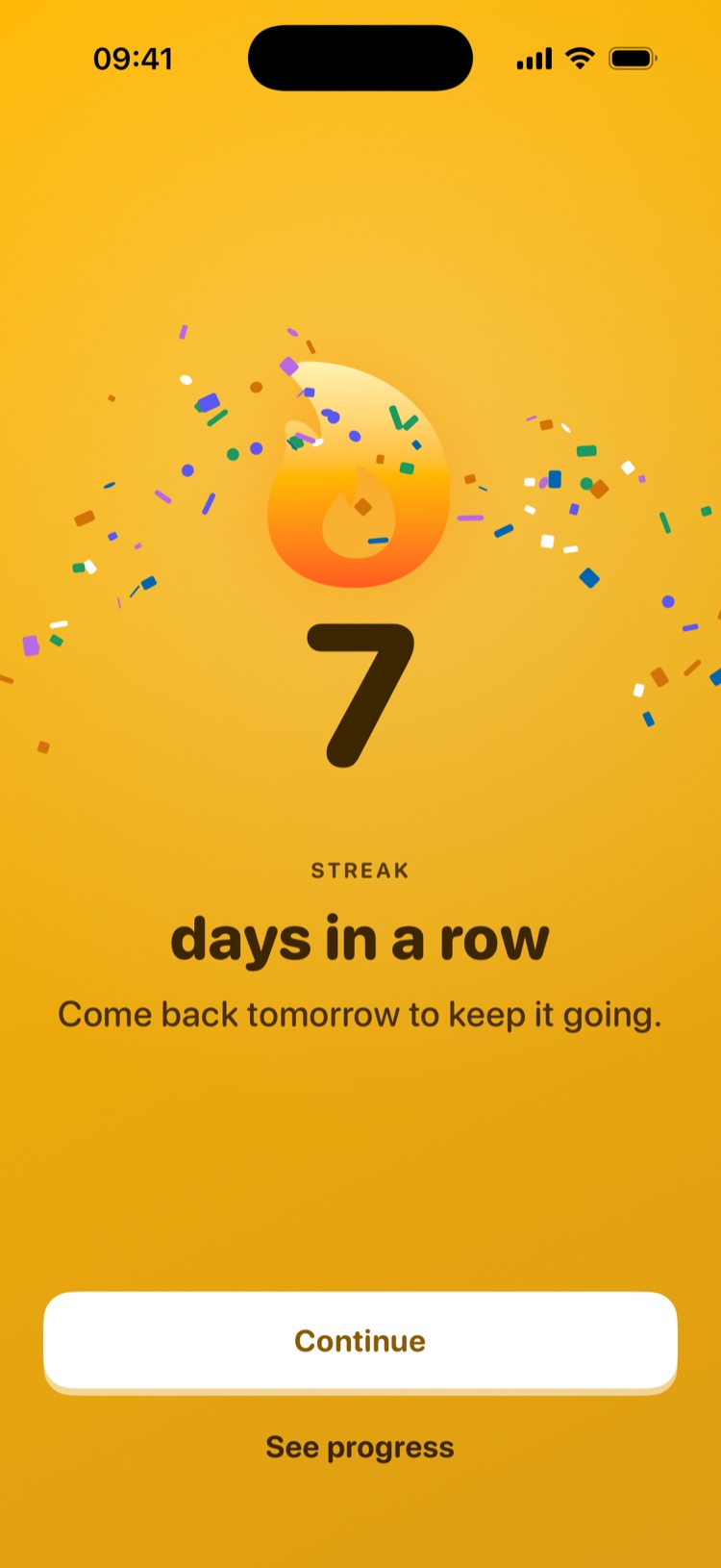
Short daily practice adds up. StudioAI helps you come back and celebrates every step forward.

  • A daily goal that fits you

    Choose one to three practices a day. We only remind you if you want us to.

  • One streak per language

    Every language keeps its own streak, its own week and its own badges.

  • Badges and milestones

    From your first 25 words to 1,000, your first level completed or 10 conversation scenes.

StudioAI streak celebration
Progress screen with words mastered and the current unit

Method

Built so what you learn sticks

Reviews at just the right time

StudioAI uses FSRS, an open-source spaced repetition algorithm that Anki has also adopted. It schedules each card just before you'd forget it, so every review counts.

Levels everyone understands

Your progress follows the Common European Framework of Reference (CEFR), the same scale schools and official exams use.

Explanations in your language

You practice in the language you're learning, but explanations and corrections always come in your native language.

Privacy

Your materials are yours

StudioAI uses AI only when it's needed, and only with your permission.

  • Your permission first

    We ask before sending your materials to AI to create exercises.

  • Only the text it needs

    AI gets the text for each task, without your name or email, and our providers don't use it to train models.

  • Analytics off

    It's off by default. No ads, and we never sell your data.

  • On-device tutor

    The tutor runs on your iPhone or iPad, offline, without sending the conversation to any server.

Read the privacy policy

Languages

11 languages to learn

Each language is its own space, with its own level, path and streak.

  • English
  • Spanish
  • French
  • German
  • Italian
  • Portuguese
  • Japanese
  • Korean
  • Chinese
  • Arabic
  • Serbian

Plans

Start for free

Build the habit for free. Pro takes you further, faster.

Free

€0

One language and everything you need to practice every day.

  • Guided path at your level
  • Daily practice, streaks and badges
  • Your progress summary
  • A monthly Studio allowance to try it out

Recommended

StudioAI Pro

7 days free, then monthly or yearly

Take your learning further: every level, several languages and much more of your own material.

  • Every levelA1 to C2, not just the level of your placement test.
  • Several languages at onceEach with its own path, level and streak.
  • Much more materialMore videos, PDFs and articles each month, plus more audio summaries.
  • Detailed statisticsReview heatmap, performance and vocabulary health.
  • Full tutorFull access to the private tutor that runs on your device.
Try Pro free for 7 days

Cancel at least 24 hours before the trial ends and you pay nothing.

The Pro price is shown in the app before you subscribe and depends on your country. Cancel anytime in your App Store settings.

FAQ

Common questions

Is StudioAI free?

Yes. You can download it and learn for free with the guided path and daily practice. StudioAI Pro raises the limits, and you can try it free for 7 days.

Which languages can I learn?

English, Spanish, French, German, Italian, Portuguese, Japanese, Korean, Chinese, Arabic and Serbian. Explanations always come in your native language.

Do I need to know anything before I start?

No. You can start from scratch at A1 or take the placement test to jump straight to your starting point.

What happens to my PDFs and videos?

We ask for your permission before processing a material. Our servers send AI only the text it needs, with nothing that identifies you, and our providers don't use it to train models. You can delete your materials or your account at any time in the app.

Does it work offline?

Yes. You can practice offline and everything syncs when you're back. The tutor works without internet on iPhone and iPad with 6 GB of RAM or more. Creating exercises from a new material does need a connection.

Is there an Android or web version?

For now StudioAI is available for iPhone and iPad on iOS 17 or later.

How do I cancel my subscription?

In your App Store account settings, whenever you like. If you cancel at least 24 hours before the free trial ends, you won't be charged.


Your next favorite video could be your next lesson.

Download StudioAI and do your first round today.

Download StudioAI on the App Store

Free · iPhone and iPad · iOS 17 or later